 For the 2.60 release I like to get our blender.org feature pages updated, and provide (new) users a great collection of .blend files to play with. A selection of the .blend files then can also go to the the “Demo Loop”, a python script that loads files in a sequence and shows anims or renders. The Demo Loop has been used successfully at shows, and by vendors such as HP’s workstation division (sponsored us for Siggraph with systems!). You can try the Add-on “Demo mode” for it, but be warned… it had a bug which only got fixed today.
Update: the spam filter here blocked posts with many urls, we do our best manually approving it now!
Call for screenshots:
- Use CTRL+F3 in Blender to save, preferably as png file.
- Use full monitor size windows, 1920×1080 or 1920×1200 pixels would be great.
- Screenshots with different themes, fonts, languages etc. are welcome too.
Call for demo files:
- Make sure it runs fine in 2.59 release from blender.org
(Cycles demos are great too, we can spread that separately for now) - Files should either have a short animation (turn table anim for objects, character anims, etc) or be interesting to render/composite (F12), or have a cool GE experience (Pkey).
- Make sure you pack in all texture maps in the .blend
- Physics sim files: put in directory below .blend, use relative paths, and zip it all.
- Best render demos are when it doesn’t take long, 20-30 seconds or so.
- Files will be shown using the default theme colors.
- Keep files a bit small… no limit here, but we can only include a few 50-100 MB files for download.
License as Creative Commons 3.0 Attribution
- Default attribution would be:
(CC-by) Blender, www.blender.org - You can optionally add your name and/or URL to the attribution.
- Purpose is to (also) ensure everyone will be forced to credit Blender well!
Upload to web!
- You can use your own website or dropboxes of course
- Or use our anonymous ftp:
– ftp to ftp.blender.org
– username: anonymous
– cd to directory incoming/ and upload the file(s)
Files will appear in public at url https://download.blender.org/ftp/incoming/ - Post here the url of the file(s) and your attribution options.
Thanks!
-Ton-
Here is the screenshot, blend file, and links to the tutorials
I used. =)
http://www.cal3d.com/Blender/FluidSims.html
Hi Ton,
first want to thank you for Blender…absolutely awesome app! Just
been learning ~1 month, but am enjoying Blender verrrrry much. =)
Here’s my latest try at Fluid Simulations…so many possibilities.
http://cal3d.com/Blender/metals2/BlueSilverSplat1X.mov
ps-recommend using .jpgs <500k for screenshots…even 200k should be
adequate. ;)
Work in progress.
http://download.blender.org/ftp/incoming/screenshot-%40HBOILED.png
http://download.blender.org/ftp/incoming/screenshot-%40Amiga%20600-blender-inkscape.png
http://download.blender.org/ftp/incoming/screenshot-%40neanderthal-joanny-durand%26Marcelin%20Boule-1921-001bis.PNG
http://download.blender.org/ftp/incoming/screenshot-fantaisist%20alfa%20romeo%2033%20GT68.png
http://download.blender.org/ftp/incoming/screenshot-%40squelette.png
http://download.blender.org/ftp/incoming/screenshot-%40ferrarivette.png
http://download.blender.org/ftp/incoming/screenshot-%40Antillia238-blenderella%20tutorial.png
http://download.blender.org/ftp/incoming/screenshot-%40NISSONDA.png
http://download.blender.org/ftp/incoming/screenshot-%40kak.png
http://download.blender.org/ftp/incoming/screenshot-%40lucane%20cerf-volant.png
http://download.blender.org/ftp/incoming/screenshot-%40sega038.png
Is there a way for me to contact you personally if I need more images? I am presently updating the Features page at Blender.org and might need additional views ect.
Attribution info will be my website.
Heya! I did this piano a few weeks back. Enjoy!!
http://www.facebook.com/photo.php?fbid=176920702391949&set=a.161273340623352.42926.158687100881976&type=1&theater
If the resolution is to low, just ask for a full res version.
Thanx!!
hello well I got my latest ship there she is :)
http://i152.photobucket.com/albums/s161/sender_bucket/TURN-PHEESUN-GIII-sa.gif
Here are my screenshots
http://www.flickr.com/photos/lollito/5651200101/
http://www.flickr.com/photos/lollito/6244651852/in/photostream/
http://www.flickr.com/photos/lollito/6241370827/in/photostream/
http://www.flickr.com/photos/lollito/6193264809/in/photostream/
http://www.flickr.com/photos/lollito/6178070124/in/photostream/
http://www.flickr.com/photos/lollito/5723641129/in/photostream/
http://www.flickr.com/photos/lollito/5654354015/in/photostream/
Tried to upload via ftp with no success, so here’re my links from Dropbox.
Screenshots:
http://db.tt/0kHb6T40
http://db.tt/TCZ7ZPsK
Source blend file:
http://db.tt/Jtw4u6Tb
my screenshot of video editing
http://www.pasteall.org/pic/show.php?id=18843
Tip: Why not combine best screenshots and make one splashscreen?
Hello,
I uploaded 2 blendfiles which both include a version of ‘grim’ – a charactersculpt/design I did.
One file is a ‘highpoly’ texture and sculptdemo (see screenshot) – and the other one is an animated lowpoly version and plays nice inside blender using glsl – so you can either play it back or render it (includes some simple nodes). For that one I also uploaded a rendered Image of that character.
I was not sure where to put the credits and license attribution details but would be glad to change it if that file is interesting after all (inside the blend as textfile?).
So here the links:
http://download.creamsurfer.de/screens/grim_tex-n-sculpt.blend
http://download.creamsurfer.de/screens/grim_lowpolybaked.blend
http://download.creamsurfer.de/screens/screenshot_tex-n-sculpt.png
http://download.creamsurfer.de/screens/grimrender.png
http://download.creamsurfer.de/screens/tex_stages.png (optional)
Hope they are useful.
Thanks for approving it manually :)
Missed that part with putting the attribution info here too:
(CC-BY) Manuel Albert – http://www.creamsurfer.de
My screenshot for sculpting.
https://dl-web.dropbox.com/get/Photos/CG%20Stuff/Sculpting.jpg?w=6fa9bd8e
Also, here’s the blend file for it.
http://dl.dropbox.com/u/44296121/Sculpting.blend
Thanks all! keep it coming :)
A few screenshots using softblend theme:
http://dl.dropbox.com/u/2105283/screens/compositing.jpg
http://dl.dropbox.com/u/2105283/screens/only_render.jpg
http://dl.dropbox.com/u/2105283/screens/paint.jpg
http://dl.dropbox.com/u/2105283/screens/sculpt.jpg
And a turntable:
http://dl.dropbox.com/u/2105283/screens/002_turntable.blend.zip
Softblend can be downloaded from:
http://www.martinlindelof.com/graphics/blender/softblend/
I would like to submit my Game Level creation
http://blenderartists.org/forum/showthread.php?232573-Dust-2-Remake-Complete-Playable-Level
Here is a small contribution using one of my models :
http://www.coyhot.com/no_CoyHot/DemoSpeeder_CoyHot_For_Blender26x.png
If you want, I made a “Open-Ad” a few months ago :
http://www.formacd.com/v2/public/page.php?langue=uk#|45,uk
You can reuse those files without any restriction … it will be a pleasure. :o)
Cheers !!!
François “CoyHot” Grassard
Website : http://www.coyhot.com
Blog : http://coyhot.blogspot.com
Mail : [email protected]
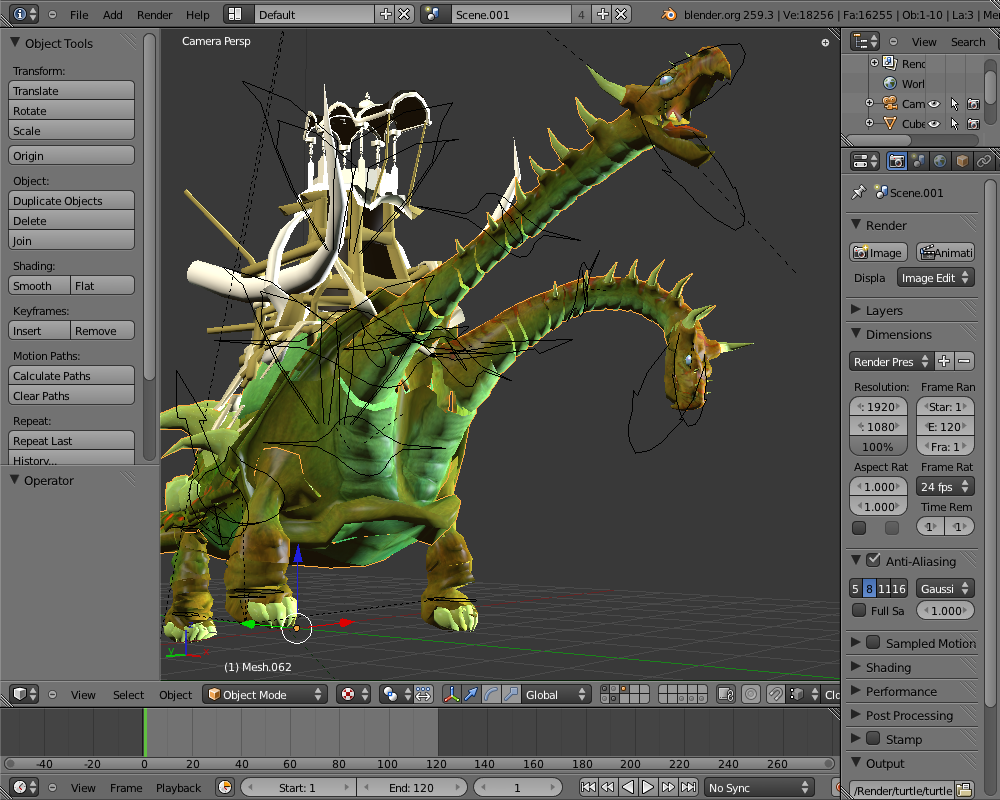
For anyone who’s curious, the screenie at the top is from my file, the cataphract, available for your perusal at http://www.blendswap.com/3D-models/scenes/the-cataphract-rig-version-1-2/
Here a screenshot using cycles :
https://docs.google.com/leaf?id=0B0PmAATNIhiIOGMwMWNmNjgtYzY1Mi00NjYzLThiMzYtNzE3MzBlYjEyZGRj&hl=en_US
Hope it can help,
This is my screenshot of Blender and luxrender photoshopped in a efficient way.
http://cgxev.deviantart.com/art/Submitted-Screenshot-Blender-261524350
Message for the .blend.
I have just a question. Is it legal to give away some free models here, but still selling them on 3d stock sites? :)
I would like to contribute with my models for new blender, but still I want to sell them for another users on 3d model websites:)
thanks
Made this in the earlier versions of 2.5, but it works in the latest.
http://www.pasteall.org/blend/9060
Hope its used!
-JaydenB
Here’s a really good one. Really shows the complexity of the cloth-sim.
http://www.flickr.com/photos/65665381@N06/6201437918/in/photostream
>:D
-Jacob S.
I may be able to give some better (aka more desirable to make public) ones later.
use this if you want http://imageshack.us/photo/my-images/191/useasyouneed.jpg/
I also have a vidio of this you can take screens from if you wish.
http://youtu.be/eVd7xCb7W3g
also if you want to take and images for blender3d from my site then feel free to do so. http://www.zeropointproductions.co.uk
This is my BGE refraction demo.
(CC-by) Vitor Balbio, http://obalbio3d.wordpress.com/
Link: http://www.pasteall.org/blend/9033 (3.5Mb)
I am sending some screenshots:
http://visualworks.atw.hu/001.jpg
http://visualworks.atw.hu/002.jpg
http://visualworks.atw.hu/003.jpg
HI TON/
hope this will help you: http://download.blender.org/ftp/incoming/robot_ludopencil.blend
here is the turnable: http://www.youtube.com/watch?v=sYyp0naDCHU
no news for mango??? ( since my last email , uhuhuh)
Hello!
I am an enthusiastic 3d animator who lives in Argentina. I use blender for 2 years and I just love the program! with some friends created a small independent company very inexpensive 3D animation and seek to learn anything new about this wonderful art of giving life to ideas on the computer. Congratulations to our entire team working on the Blender Foundation!
Hello again! haha .. if anyone wants to see our jobs are at http://www.facebook.com / Viarideas
THANKS FOR THE SUPPORT!!
my screenshots:
http://visualworks.atw.hu/001.jpg
http://visualworks.atw.hu/002.jpg
http://visualworks.atw.hu/003.jpg
can I submit my ‘two face’ here?
link: http://www.blendswap.com/3D-models/characters/two-face/
if you approve this I will then give a screenshot of Chinese UI while open the source file. ^^
MD: huhh… I indeed completely forgot about it :) However, this call for high quality .blend files should already solve the need quite well. Forcing splash submissions to post .blends might not be appreciated or even possible always…
Hello,
I would like to help with some screenshots and two demo files. So here is my contribution, hope it help. Anything you need, just let me know.
http://dl.dropbox.com/u/7302099/ruby_screen.png
http://dl.dropbox.com/u/7302099/ruby_screen1.png
http://dl.dropbox.com/u/7302099/ruby_screen2.png
http://dl.dropbox.com/u/7302099/burnie_screen.png
http://dl.dropbox.com/u/7302099/burnie_screen1.png
http://dl.dropbox.com/u/7302099/burnie_screen2.png
http://dl.dropbox.com/u/7302099/medieval_sword.blend
http://www.blendswap.com/3D-models/characters/blue-eye/
Thanks,
Lucas.
Hi Ton,
I wrote you an email about this years ago, that I thought it might be a good idea to always offer the blend file of the splash screen as a downloadable file for everyone to play with.
That way everybody who opens the program the first time, sees this splash screen and thinks ‘I wonder how this was made’ could actually find out, how it was made.
Back then you said you found it a sympathetic idea, but you had already announced the splash screen contest (I know the one NOW is announced as well) and you didn’t want to change the rules afterwards.
Still, now that you guys want to offer some files, maybe it would be a good idea for the next contest or maybe even ask the winner of this time’s splash screen contest, if he wants to offer his file.
What do you (and other people) think?
Cheers, MD
Here are a few screenshots from Sintel The Game.
http://download.sintelgame.org/sintel_game_tutorial.jpg
http://download.sintelgame.org/sintel_game_docks.jpg
http://download.sintelgame.org/sintel_game_cave.jpg
http://oruchuban.ru/wp-content/upload/2010/10/Screenshot.jpg – One of my screenshots, you can use it as you like.
Cool!
Really!!!
In order to prevent spam, comments are closed 15 days after the post is published. Feel free to continue the conversation on the forums.