This has been a frequently requested feature: To be able to control shader parameter over the lifetime of particles.
A common use case for this is fading out particles toward the end of their life (or the opposite: prevent them from popping into view suddenly by smoothly increasing their opacity).
The only way to achieve this effect until now is to use texture in combination with “Particle” coordinates (which encode the particle age as the U texture coordinate). However, this is clumsy and of limited use for fading out (since particle total lifetimes can vary). Also it only works with billboard and halo rendering, but not object or group instancing.
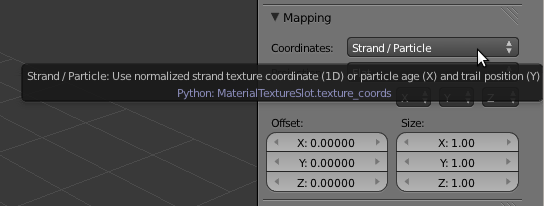
For cycles shader nodes there is now a “Particle Info” node for such attributes (it should probably be implemented in BI as well). For now only the Age and Lifetime of the particle (in frames) are available, but more particle data can be exposed if required.
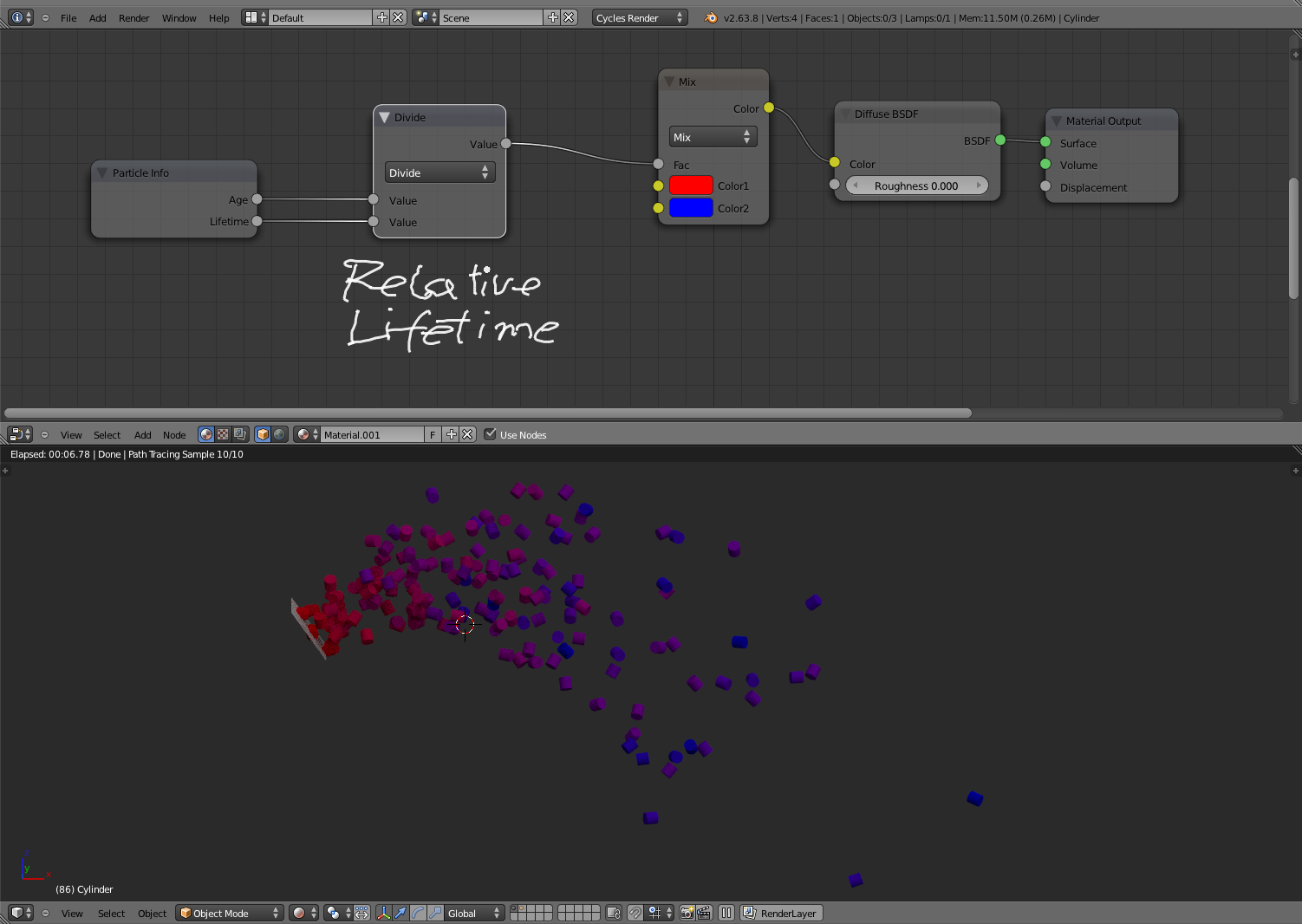
As a simple test case i”ve made a “Fade In” and “Fade Out” effect (node groups for convenience) and also a “Decay” effect, which is useful to simulation cooling down of hot particles and similar features (in-depth info).
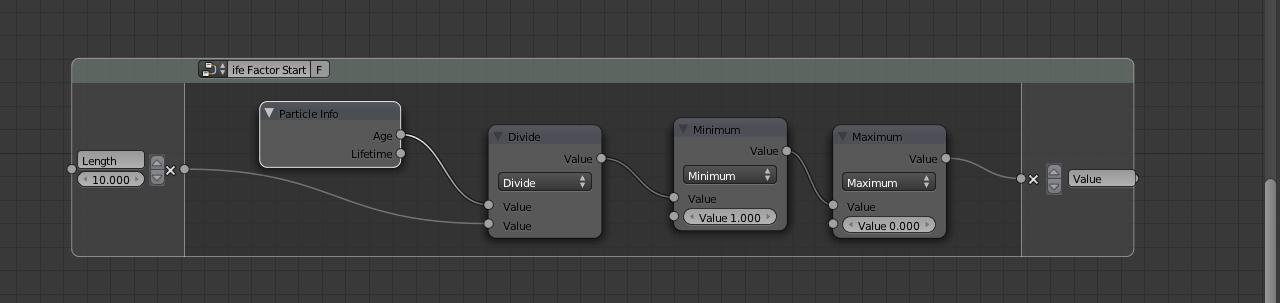
Fade In
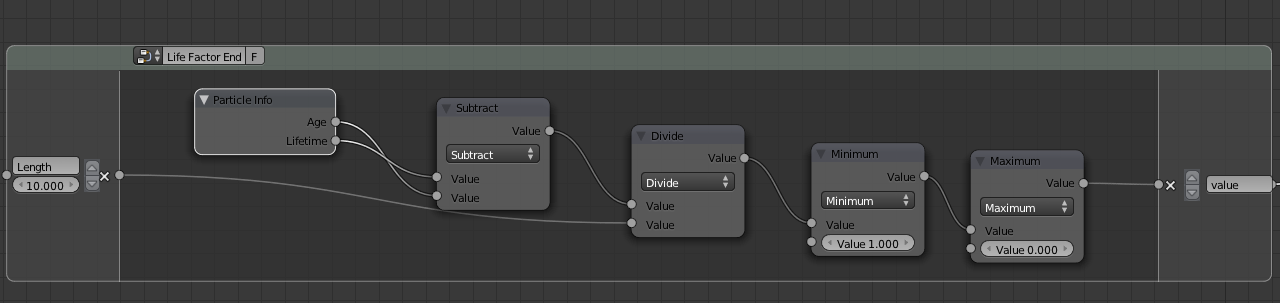
Fade Out
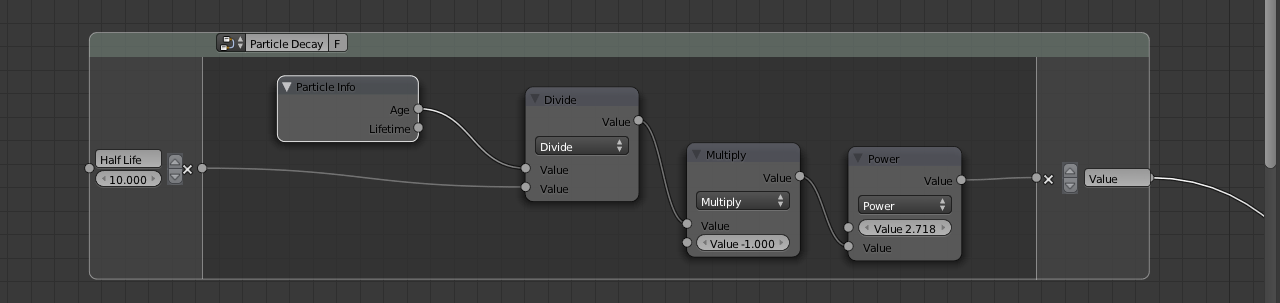
Decay


Do I need to download a node setting to get my sparks to look like that?
You could make new secondary particles emitted from existent particles? Thanks.
is it possible to animate size of particles during life
So it currenty doesn’t work, right? Does anybody know of a bugreport for this? I wasn’t able to find one.
I discovered that it works only if you don’t have children enabled… This kind of stuff can easily make you lose 4-8h of work since any setting could be the ‘culprit’. It would be great if we could see some kind of warning in the UI when such ‘functionality holes’ are present. Anyway, it’s huge to have a particle info node for cycles, and I’m looking forward for when it will be fully supported. Right now I can’t think of any production use for it though, since you’d want (need really) to use children wether you’re making hair or an explosion, otherwise it would be impossible to control the shape and to bake.
WHY IS THIS BEING IGNORED!?!? BLENDER SO BADLY NEEDS THIS!!! This is FAR more important than half of the things being given novel updates. Core functionality as extremely crucial as this should always be priority!!
awesome. particle size please :) (or all :D)
Hi Guys, Thanks for all the great work. Using Blender 2.64A, there doesn’t appear to be any output from the Particle Info Node, is there something that needs to be set to get the Node outputting the Age and Lifetime? Sending this through a Maths Divide and then to a Color ramp. I can get the output to change by inputting values, everything seems to be working, but cannot get any output from the PI Node? As with the comments above this is clearly a must-have-feature. Any help much appreciated, Cheers Chris B.
Hi! Please check this:
Ubuntu 12.04, Blender 2.63.17 r50003(and others), Cycles render, CPU compute, ParticleSystem->Render->Emitter(OFF)->F12->Blender Crash.
Ubuntu 12.04, Blender 2.63.17 r50003(and others), Cycles render, GPU compute, ParticleSystem->Render->Emitter(OFF)->F12->No emitter and No particles render.
Animating parameters over the lifetime of the particle? Thank you for working on this! :D
What would be nice if you could control the size of child particles over time.It would be useful to make more realistic effects.
I agree, size is one of the most needed features. Without it, particles just disappear in thin air.. and that looks awful. Please, please, please.. developers.. !
This is awesome! To get an individual ID for each particle as a node data would be even more! lot’s of fx come to mind… Do you think this is manageable?
THX
I’m back to add a little comment :
For all future nodes/functions (and also the old ones), don’t ask which parameters to expose, just put them all.
You’ll always have someone (like me) who needs a parameter that is not exposed ;)
Nice! Velocity and rotation please.
Genial !!!
“…but more particle data can be exposed if required.”
-> ALL, please.
+1.. Also a patch to test this out would be great.
I managed to find the patch: http://codereview.appspot.com/6242069/
Great stuff!
Thank you Lukas!
Have been waiting for a feature like this!
Wow Lukas, great work! Will this be available with the default particle system of Blender or only with the new particles?
It works with standard blender particles (not even implemented in node particle branch yet).
That’s really cool! Thank you, Lucas.
In order to prevent spam, comments are closed 7 days after the post is published. Feel free to continue the conversation on the forums.